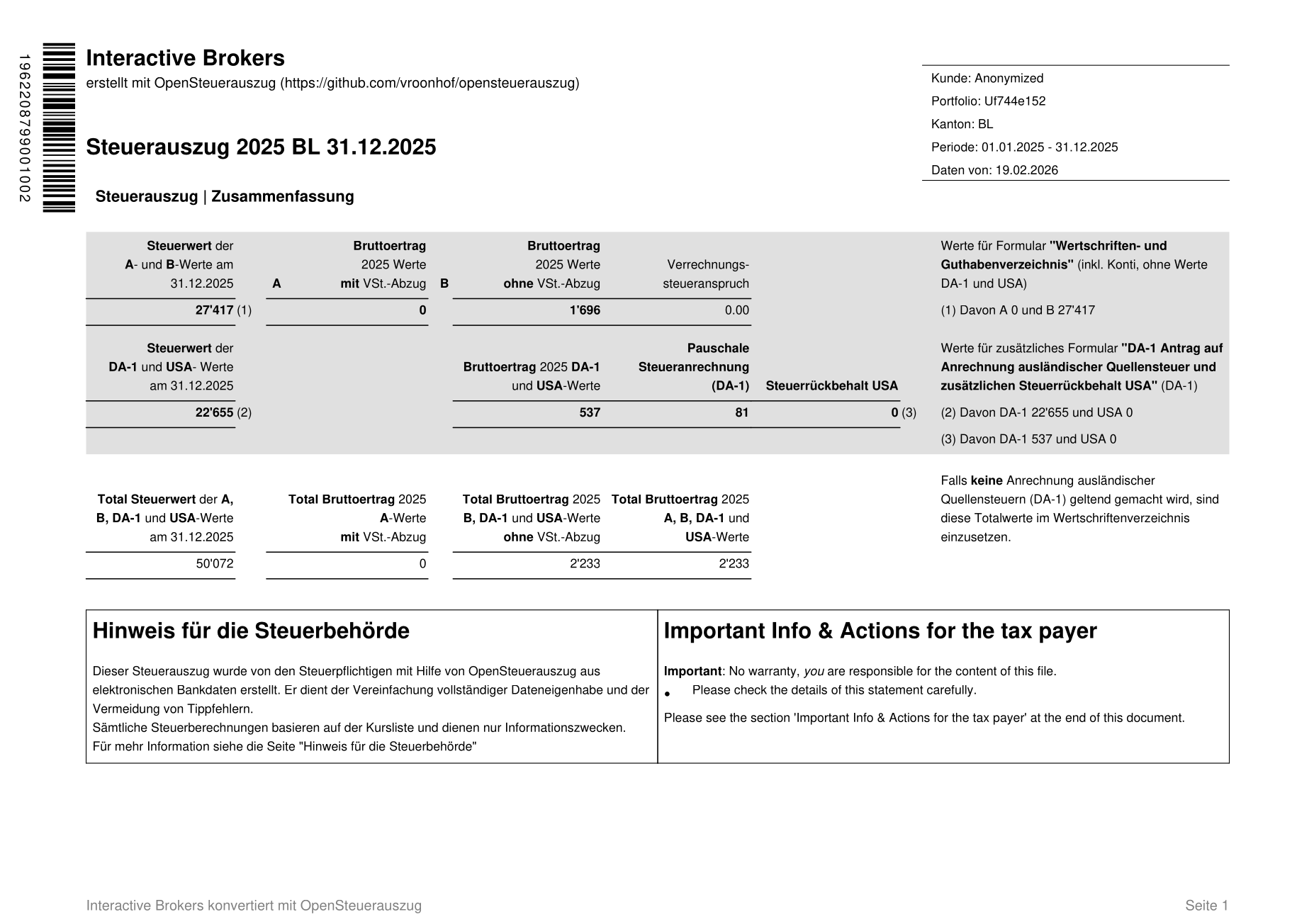
For anyone else who developed an unhealthy stock trading habit over covid only to realise the long time it take to go and enter every trade they did into the tax software, there are now some automated options for IBKR. The first one charges 50Fr to prepare the electronic file for you:
A new one I learned about today is an open source DIY option:
It’s free and doesn’t require that you share your data with a third party, but you need quite some technical know how to use it.
Not sure. Looks very amateurish.
The electronic file must be digitally signed by the bank to be valid, among others.
This is like you opening Word and making a ‘fake’ bank statement, copying-pasting the bank logos etc, with the correct financial information. Not a good idea.
Plus, why would I trust my financial information, with a random github project, whose owner says was coded using AI, and it has not been validated in any way?
There are other solutions, not free obviously, but decent, eg Dr Tax costs 30 chf and is very easy to enter shares.
Not true. The digital files are not digitally signed.
one of the benefits of the open source project is that you DON’T have to trust your information to a third party. you keep everything on your system and have full control over what the program does.
The whole point of the paid service and open source project is to avoid entering share information.
I’ve never had an electronic tax report before. I’m wondering whether I can use it to just enter the stock information which I can later tweak or whether it just take the file and it processes it separately from the tax information you normally enter manually.
same, it’d be nice if the tax app just accepted the file as an automated input but drop it after processing, letting you edit the data if necessary, but my guess is that it’ll be read only view, so the way would be to review it, fix the import file and re-import it, rinse and repeat…
As far as I understand, a signature is optional, but there may be one if you receive an eTax statement from the bank itself. If the signature is valid, the digital document is more trustworthy, as it cannot be altered by me. If the document does not have a signature, that is fine, but it is less trustworthy. As if I were entering it manually. It could therefore be that the person checking the tax return will examine it more carefully than if a signature is present.
Für eine weniger fehleranfällige und schnellere Verarbeitung im Steuererklärungsverfahren für das Online-Banking gelten die folgende Empfehlung und Vorgaben:
Das signierte XML kann als Anlage dem PDF hinzugefügt werden
Für die Signatur muss ein gültiges Zertifikat des Finanzinstituts verwendet werden
But that’s just what I gather from the PDF above (the RFC). Whether there really is a signature embedded in the PDF when you receive an e-tax statement from a bank is unclear to me.
How can one ensure that the software is secure and GDPR-compliant? Since it is not certified by the Swiss government, there may be potential vulnerabilities. In the event of a data breach or cyberattack, the developer could face legal consequences and liability.
I’m not trying to undermine your efforts — my intention is simply to look out for you. Your software may very well be solid and free of vulnerabilities. However, sharing links to home-built products (which are not government certified softwares for official use) on a public forum could create opportunities for scammers to develop similar tools (with intentional vulnarabilities) and lure users with attractive “discounts/offers”. That could potentially open the door to misuse and unintended consequences. Scammers use these types of tactics to gain entrance to your machines. And now a days with AI/LLM it’s not a difficult task to build softwares.
Yes, it makes the barcodes for autoimport. The above was just a screenshot of the first page. The barcodes are at the end of the PDF.
(actually, I just disabled the barcode generation in case anyone ignored the warnings that it is still the test version and shouldn’t be submitted to the tax authorities)
A digital signature was never required except for some special cases in some Kantons (I think GB). Some banks do sign their PDF, some don’t.
You are always responsible for whatever you attach, you are obliged to check it or you may commit tax fraud.
I tried out both services, ended up using the paid one. Got different numbers, Phil will look into it after his well deserved holidays.
Last year I spent 14 hours filling out the tax form and another 4 to find errors. This year it took me one minute; it is worth every penny if you have a big stock portfolio.
I think in the Kanton ZH web application you cannot change the values after importing the e-statement. Doesn’t make sense anyhow.